You're between sets, phone in hand, trying to remember what you squatted three weeks ago and whether today calls for five reps or six.
LogBeetle exists so you don't have to remember any of that. This post is a map of the app, and the first in a series. Each post after it takes one part of the app and goes deeper.
The loop #
The whole app is one loop with three stops.
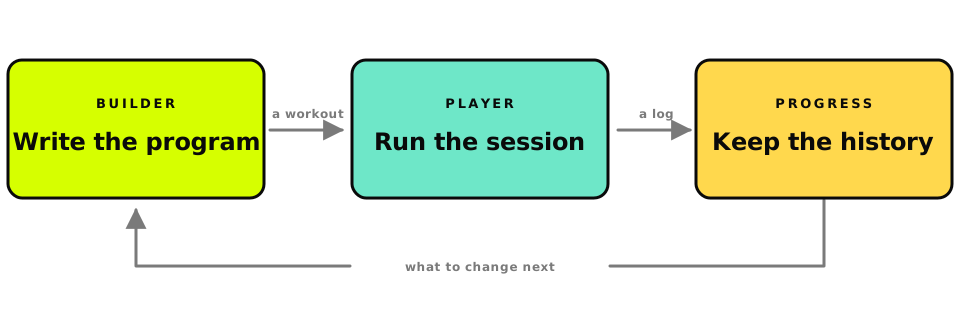
You write a program in the builder. A program holds workouts, and each workout is a set of blocks with exercises and rest inside them.
On training day you open one of those workouts in the player, which walks you through it step by step and runs the clock for you.
When you finish, the app saves a log. Your history, your trends and your personal records are all read from those logs.
Then you look at the numbers, change the program, and go around again.
The three screens you'll use most #
The builder #
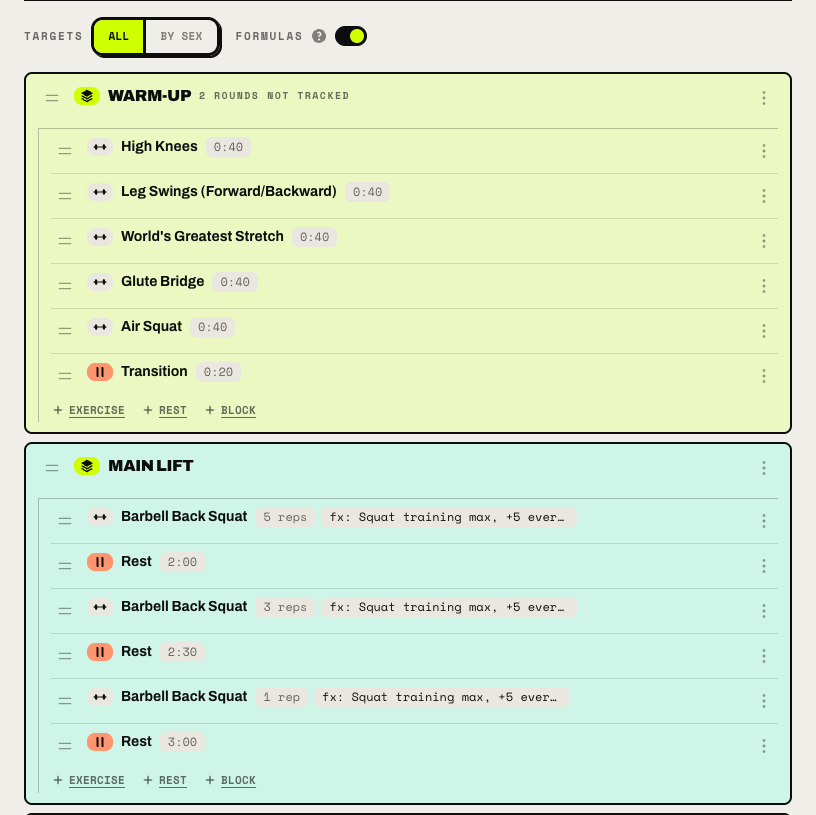
The builder is where the plan gets written. A workout is made of blocks, and a block can hold exercises, rest steps and other blocks. So three rounds of squats and pull-ups with a minute of rest between them is something you can write down as it is, and the player will run it that way.
The player #
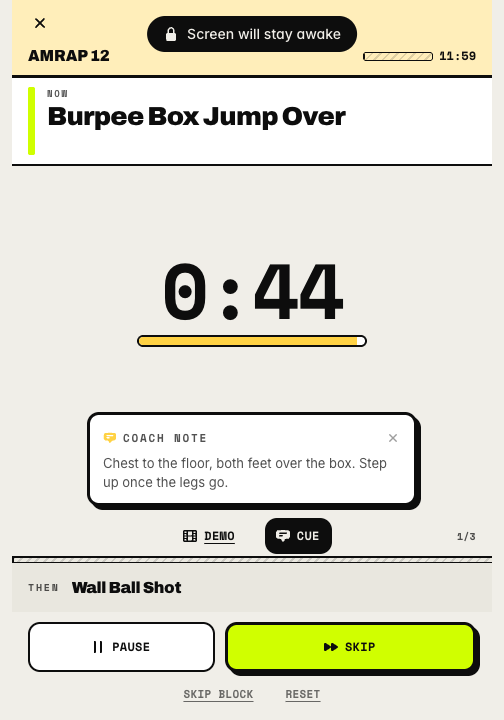
When it's time to train, you open a workout in the player. It goes full screen, shows one step at a time, and counts down the timed ones. Rest timers run on their own, coach notes and demo videos appear on the step they belong to, and the screen stays awake until you're done.
Progress #
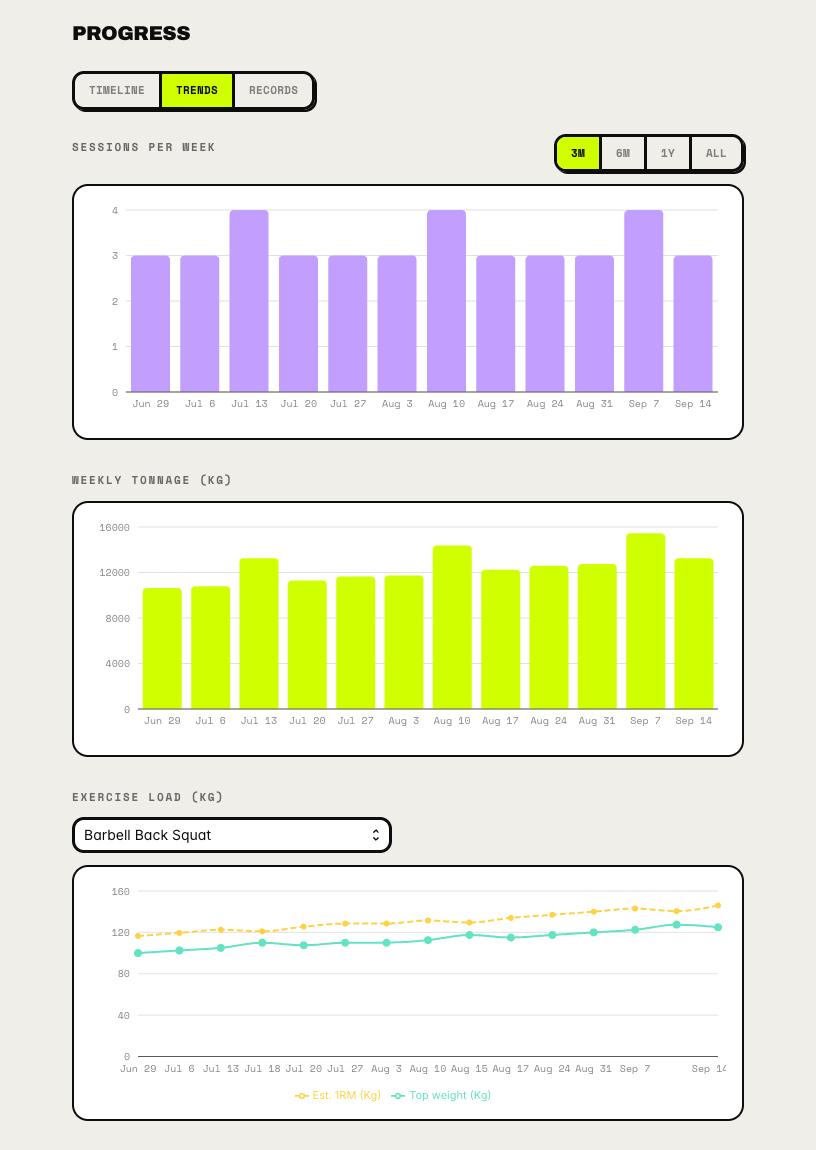
The progress screens turn your logs into something you can read at a glance. There's a history by month, sessions per week, weekly tonnage, and a line for how the load on any one exercise has moved. Your personal records sit next to them, and a program can use those records to set its weights.
What else is there #
Four more parts attach to those three screens.
- AI drafts a session from a sentence or a photo of the gym whiteboard, and it can plan a whole multi-week program from a short brief. The result lands in the builder as a draft you can edit.
- Coaching lets you assign a program you wrote to up to five other people, and their sessions show up as they log them.
- The exercise library sits behind every exercise picker. There's a built-in catalogue to copy from and your own catalogue, with a cue and a demo video on each movement.
- The timers and calculators are standalone pages, and you don't need an account to use them.
Following a program, running workouts, your history and your records are free, and so is being coached by someone. You pay when you write structured programs yourself, which means the linear and cyclic program types and the formulas behind them, or when you coach other people. AI runs on prepaid credits on any plan, and having it build a whole program is part of Friends & Family. The pricing page has the numbers.
What's next in this series #
Each post covers one part of the app, in the order you'd meet it. The list will turn into links as the posts go out.
- Flexible, linear and cyclic programs, and which one fits how you train
- Building a workout from blocks
- Formulas and variables
- The workout player
- History, trends and personal records
- The exercise library
- AI workout generation, then AI program generation
- Coaching your people
- The free timers and calculators